Members Only | 12.09.20
Tomorrow’s MSP: Preparing for New Opportunities
By Brenda Hunsberger, MNA, CPMSM
One year ago, no one could have anticipated the effects a global pandemic would have on our careers. In the months since COVID-19 took hold in the United States, many of my friends, peers, and fellow MSPs have had their career interrupted or completely sidelined. Others continued on as essential but assumed additional meetings, projects, tasks, and duties from co-workers. Surely you also know of someone whose career has been personally affected by the COVID-19 pandemic. Our peers have been temporarily furloughed, had positions eliminated, or their facility permanently closed or merged with another. Unfortunately, many were not prepared to hit the ground running to look for their next job. Where does one even begin? What about skills and technology — are we staying current and up to date with technology to land our next position or even excel in our current position? Are you ready and able to compete with the litany of applicants that will inundate the hiring manager? How do you assure your resume will stand out? We start with the basics, assess our gaps, and from there make a plan to improve ourselves. As a physician recruiter and a former provider services manager, I have seen my share of cringe-worthy resumes. Based on that knowledge and experience, I want to provide some tips to help you make your resume stand out.
Update Your Resume
Let’s talk about updating your resume. First, there are a variety of sections that can be included on a resume. However, there are five basic sections you should, at a minimum, include: personal contact information, a personal statement, work experience, education, and skills.
Personal contact information should be separate, accurate, and boldly include all of the following information:
» Your name, personal email address, personal phone number, mailing address, and LinkedIn profile link (if you have one).
» If you have professional credentials, list these abbreviations following your last name in a specific order, starting with academic degrees, followed by professional licenses, and listing certifications last. The highest academic degree is placed first. In most cases, associate’s and bachelor’s degrees are not listed, but there are exceptions. Certifications are listed in the order you received them.
» The personal email address you list should be “professional." This doesn’t mean you must include the email address you have with your current employer, but be careful what you use. A made-up example of one you should not use is CrazyCatLady@aol.com.
» If you are minimalist, include just city and state for your mailing address. You do not need to include your street address — it will be on the application when the time comes.
The remainder of what you include on your resume is a personal decision, be it certifications, associations, training, awards, etc. Employers often require much of this information to be entered on the formal application, and some of this information can and should be included on your resume to help you stand out from other applicants. Above all, be sure you feature your technology knowledge on your resume.
When the talent pool is narrowed, and the choice between two great applicants is close, your ability or willingness to use technology could be the deciding factor. On your resume or application, list the technology (systems, platforms, applications, software, etc.) you have experience with. List any EMR and credentialing software you have used. Also, include any of the Microsoft products you have used for general office tasks. It is extremely important to differentiate between tech you are comfortable with and tech you have exceptional ability with. If you are certified with one or more systems, be sure to include that. I am not suggesting you have to be a technology expert, but it is well worth your time to at least become aware of the technology, its basic features, and how it could assist you to efficiently complete your daily work. If you are a tech geek like I am and want to take your learning a little further, or you merely want to brush up on your tech knowledge, perform a simple Google search. There is an amazing array of free guides, manuals, templates, and how-to videos to learn some of the more advanced features. If you are a newer MSP, you should know the common Microsoft programs that are the most crucial to your daily work: Microsoft Word, Outlook, Excel, and PowerPoint. Lesser used (and some newer) tools in the Microsoft suite are Visio, One Note, Teams, and SharePoint.
Lastly, avoid distractors in your resume and make sure it is aesthetically appealing to the reader. As I previously mentioned, I have observed many cringe-worthy resumes. To be frank, glaring typographical errors, grammatical issues, and visual distractions in your resume will get you noticed — but not in a good way.
» When you finish updating your resume, be sure to use spell check. Those red and blue squiggly lines have meaning. In addition, it may be helpful to read sections aloud or have a friend review for you.
» Use standard fonts and margin formatting. Avoid adding crazy designs, clipart, bold lines, and excessive amounts of color. As I type this, the quote “Just the facts ma’am” comes to mind. Adding this visual “fluff” to your resume tends to distract the reader from your education, experience, and skills.
» Save your resume to Microsoft Word and PDF formats. Then, print and review. Very often, a candidate does not perform this final “double check” of their work. This lack of attention to detail catches my eye. Often, I will see one or two sentences on the last page or a blank page in the middle of the resume. Worse yet, I have received electronic applications where the candidate didn’t attach their resume!
Begin Applying for Positions
Now that your resume is updated, visually appealing, and includes your best skills to wow the interviewer, it is time to apply for your next position. Unfortunately, the job market is currently flooded with excellent MSPs who have been displaced because of the pandemic. Some things you should consider:
Update your social media profiles. Depending on your utilization of social media, you will want to review your security preferences to determine what the general public sees. Recruiters and hiring managers perform a Google search on your name to see what they can glean about you as a person via your social media.
When you are applying for positions, do not be afraid to apply for a temporary position or a temporary-to-permanent position. Some organizations are being overly cautious of promising permanent placement, but there are a few out there. Review the conference exhibitor, vendor, and sponsor list for temporary placement organizations known to place MSPs. Also, don’t forget to look for opportunities on the NAMSS Career Center and your state association website. If you are in a position to do an internship with a medical staff office or a payer enrollment office, the skills you would obtain are invaluable. I assisted a young MSP with this a long time ago. She fell in love with the credentialing world and is still involved today.
Prepare and Plan Ahead for Your Interview
Review interview questions. You should begin preparing for the interview as soon as you start applying for positions. The earlier the better. It is important that you are able to answer typical interview questions. These are often about your strengths, weaknesses, goals, emotional intelligence, and conflict resolution style. It is equally important you have a response to the often asked, “Do you have any questions for us?” Don’t be that candidate who responds, “No, I think you answered everything already.” There must be at least one question you have!
You can perform a Google search for common interviewer and candidate questions. Oftentimes it’s difficult to find the right words to say, and that can lead to embarrassment. To combat this problem, ask a friend to help you with interview preparation by asking you some common types of interview questions. Or, read the question on your own and then answer it aloud. Continue to do this until you are able to spontaneously and comfortably answer the questions.
Assessing Technology Gaps Pre-Interview
Become familiar with the interview platforms available today. When is the last time you participated in a video meeting (WebEx, FaceTime, GoToMeeting, Zoom, etc.)? For some of us, this occurs daily. Others have never had to do this. As a physician recruiter, prior to the pandemic I only used this format for interviews with candidates a couple of times. Now I use it daily. I recommend you at least become familiar with a few of the most common platforms. Practice using them with your friends, your kids, or your grandchildren. Eliminate things that could distract the interviewer from you.
» Pay attention to your background. I have observed everything from a blank wall to a messy bedroom with an unmade bed, clothes on the floor, and everything in between. Less is more.
» Consider the sounds around you. Sometimes, the interview must occur with our littles on our lap or by our feet. However, barking dogs and loud music coming from your teenager are not really conducive to a quality interview.
» Assess your internet connection. With greater use of technology in our interviews, and an increased number of devices using the internet in our homes, most group video call platforms suggest you have at least 2.5 Mbps upload and download speed to attain a quality video. However, in my experience with dropped calls, “low bandwidth” notifications, and poor-quality audio/video, I encourage you to confirm your speed prior to initiating your call. This isn’t the speed listed on your internet bill. You will want to do a speed test on your device. There are many free services online. I use www.speedtest.net.
Keep Your Resume Updated
After you land that dream job, keep your resume updated. It is with all the best intentions that we keep our resume updated with new experiences and skills should we have an unexpected need to use it. For me, I have found annual performance evaluation time to be the most logical time to update my resume. Think about it — each year your superior asks for your input on the previous year’s performance, documentation of any kudos, awards, continuing education, etc. Use all of that valuable information and take the time to add any new skills and training to your resume.
This feature was originally published in the Q4 2020 issue of Synergy.
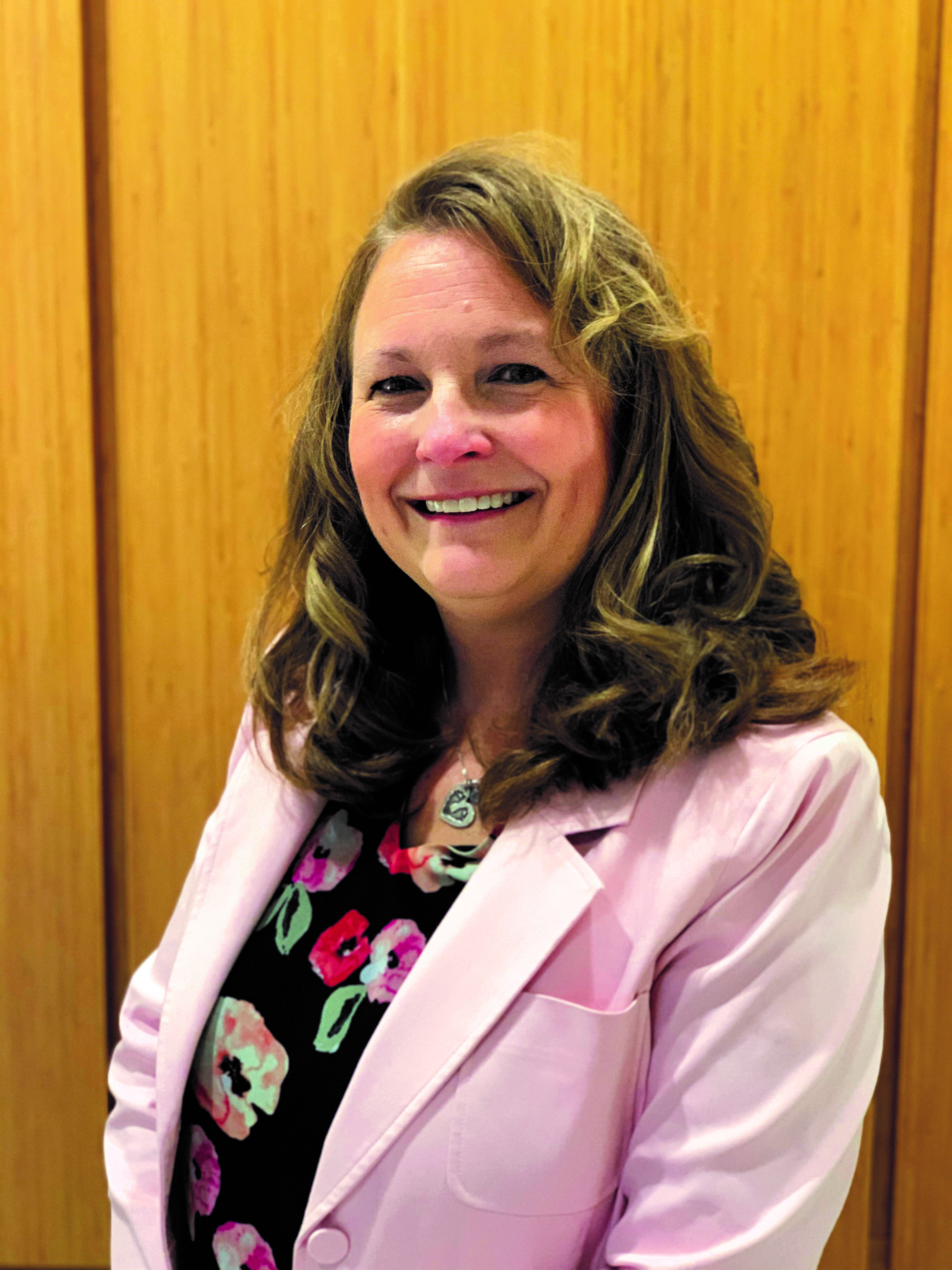 Brenda Hunsberger, MNA, CPMSM, is the physician recruiter for Saint Joseph Health System. Brenda received her undergraduate degrees in general studies and health services administration at Indiana University South Bend. She attended the Mendoza School of Business at the University of Notre Dame and received a master of nonprofit administration. Brenda has called Elkhart, Indiana, her home all of her life. Married for 37 years, Brenda is the mother to two adult children and two school-aged grandchildren. She has over 20 years of experience in healthcare. She is a member of NAMSS, University of Notre Dame Alumni Association (Saint Joseph Valley), and Indiana University Alumni Association. Brenda is a member and current president of the Indiana Association of Medical Staff Services. She can be reached on LinkedIn or email at bhunsberger@alumni.nd.edu..